Transform your images effortlessly with I Love Image Tools. Compress, convert, resize, crop, edit, and enhance your images online for free - fast, secure, and without installing any software
Image Tools is your all-in-one online platform for fast, secure, and high-quality image editing. Whether you want to convert image formats, compress large files, resize dimensions, crop photos, or optimize images for websites and social media, our tools make the process simple and efficient. Everything works directly in your browser with no software installation or registration required. Compatible with Windows, Mac, Linux, Android, and iOS, Image Tools helps photographers, designers, developers, businesses, and everyday users complete image tasks quickly while maintaining excellent quality.
Your privacy and security are our highest priorities. Every uploaded image is processed using secure encrypted connections and is automatically removed after processing to protect your data. We never permanently store, share, or use your files for any other purpose. Our cloud-powered platform delivers fast performance, reliable uptime, and supports both single and batch image processing. Whether you're converting formats, reducing file sizes, or enhancing images, you can trust Image Tools to provide accurate results while preserving image quality and keeping your files safe.
Convert your images into a wide range of popular formats, including AVIF, BMP, DNG, HEIC, HEIF, ICO, JFIF, JPG, PAM, PCX, PNG, PPM, SVG, TGA, WBMP, WEBP, and many more. You can also convert HTML, SVG code, and Base64 data into high-quality images. Fast, secure, and perfect for web development, design projects, and cross-platform compatibility.
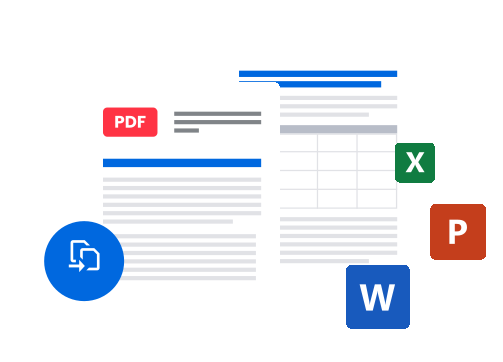
Convert one or multiple images into a high-quality PDF document in just a few clicks. You can also extract images from PDF files while preserving their original resolution and clarity. Fast, secure, and ideal for creating documents, sharing photos, archiving files, or recovering images from existing PDFs.
Convert HTML, CSS, and SVG code into high-quality images directly from your browser. Easily create screenshots of code, website previews, social media graphics, or UI designs in seconds. You can also encode images into Base64 for use in HTML, CSS, or web applications, and decode Base64 strings back into downloadable image files with just a few clicks.
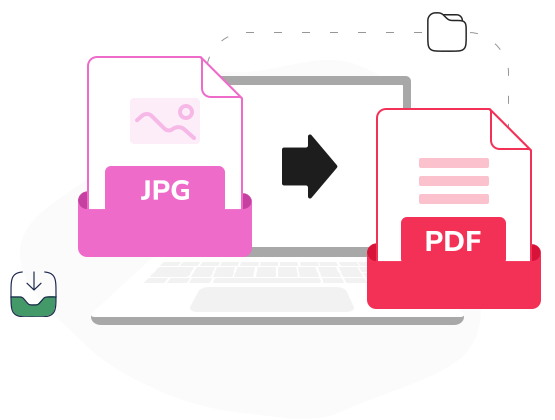
Image Tools is built to provide a fast, simple, and reliable image editing experience without unnecessary restrictions. Unlike many online tools, we focus on speed, quality, and ease of use while keeping your files secure. There are no watermarks on your downloads, no complicated software to install, and no hidden charges for essential features. Whether you're converting images, compressing files, creating PDFs, or optimizing graphics for the web, our browser-based tools deliver professional results in just a few clicks. Trusted by designers, developers, businesses, and everyday users, Image Tools is your complete solution for handling images online.
**Image Tools - Fast, secure, and powerful image editing for everyone. Create, convert, optimize, and enhance your images with ease—no downloads, no watermarks, just professional results.**
Everything you need to know about our image tools in one place. If you have any questions or can't find the information you need, we're always here to help.
Free users can upload images up to 2GB. Premium subscribers enjoy a 5GB limit with faster processing speeds.
Absolutely. All conversions happen locally in your browser. We never upload, store, or access your images.
Yes! Our tools are fully optimized for mobile and tablet devices. Convert images on the go with ease.
Yes! Convert up to 50 images in one batch. Save time by processing entire folders in a single click.
Never. All converted images are completely watermark-free. Download clean, professional results every time.
We support JPG, PNG, WEBP, GIF, BMP, SVG, TIFF, and more. Convert between any popular image format instantly.
No limits at all. Convert as many images as you need, any time of day — completely free.
No. Our converter preserves full image quality by default. You can also adjust compression settings manually.
No installation needed. Everything runs directly in your browser — just upload and convert in seconds.
Yes! You can resize, crop, and adjust dimensions before converting. Get the exact output you need in one step.
Fast & Secure. 100% Free Conversions. Experience the full power of Image Tools with all Pro features.